
400% up to AUD 4,000 and 100 free spins
Welcome Bonus
Ozwin casino app: browser access and Practice Mode
There is no native Ozwin casino app to download. We offer instant play through a browser on Android and iOS phones and tablets, so you can use the site without installing a casino app. If you want to try games before playing for money, the important distinction is between mobile Practice Mode and desktop demo access.
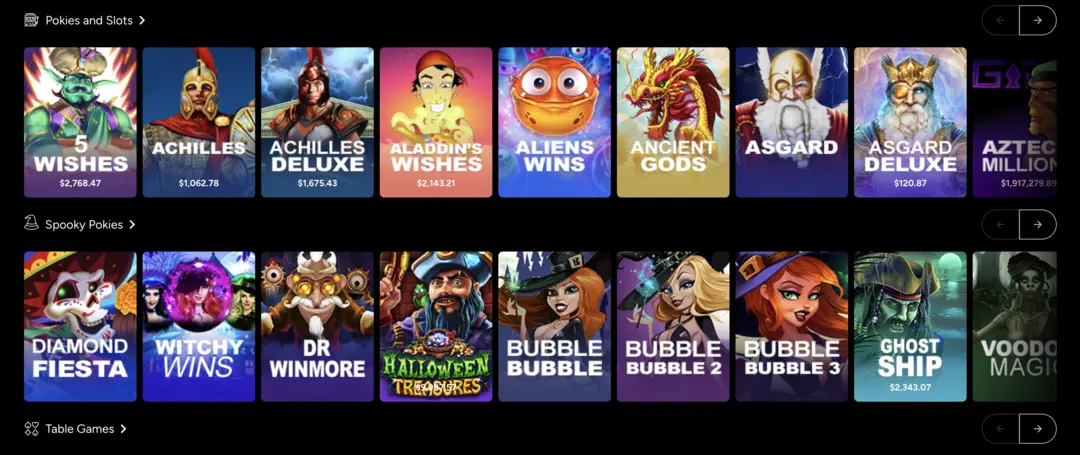
Browser access on phones, tablets and desktop
For Ozwin casino app access, open our instant-play site in your device’s browser rather than looking for an installer. Phones, tablets and desktop computers all use browser-based access, but the desktop browser recommendation is not a requirement.
| Device | Supported access | Practical distinction |
|---|---|---|
| Android or iOS phone | Instant play in a browser | No native casino app to download |
| Android or iOS tablet | Instant play in a browser | Uses the tablet browser rather than a separate app |
| Desktop computer | Instant play in any browser | Google Chrome is recommended, not required |
You can use your preferred browser for instant play; Chrome is our recommendation for the desktop experience. A browser bookmark may make the site easier to return to, but it does not change how your account or demo access works. For the wider product picture beyond device access, our Ozwin casino overview covers the casino as a whole.
Practice play works differently on mobile and desktop
Your device determines whether you need an account before trying demo play. The distinction matters when you want to explore a game without starting a real-money session.
| Device | Practice option | Account state |
|---|---|---|
| Desktop | Demo play | Available while logged out |
| Mobile | Practice Mode | Create an account, then choose Practice Mode |
If you switch from a logged-out desktop demo to your phone, create an account and choose Practice Mode for demo play there.
Practice access and promotion eligibility are separate. Our Ozwin casino no deposit bonus guide covers offer conditions; using a mobile browser does not itself activate a promotion.
Mobile account and cashier controls
Our site provides Log In and Sign Up controls for account access. Once you have signed in on mobile, you can tap Deposit at the top, choose a method and follow its instructions. A browser session does not change the conditions of the deposit method you select.
To request a withdrawal on mobile, open the top-right menu and choose Withdrawal. If you need to submit verification documents, use Withdraw → Account Verification in the mobile menu to upload them. Check the conditions for your chosen withdrawal method before requesting payment, as fees apply to some methods.
FAQ
Is there an Ozwin casino app to install?
No native casino app is listed. We offer browser-based instant play on Android and iOS phones and tablets; a browser bookmark is not an app or APK.
Can I try a game in Practice Mode on a phone without an account?
Our stated mobile Practice Mode requires an account. If you already have one, sign in; if you do not, account creation is a separate choice and does not itself establish eligibility for a promotion. On desktop, demo play is available while logged out. The practice option can vary by game.
Where do I find deposit and withdrawal controls on mobile?
After logging in or signing up, tap Deposit at the top to choose a method and follow its steps. To request a withdrawal, open the top-right menu and select Withdrawal. Check the selected method’s terms before submitting.